Introducing AI Post Analysis: Read the Room, Not All 20,000 Comments
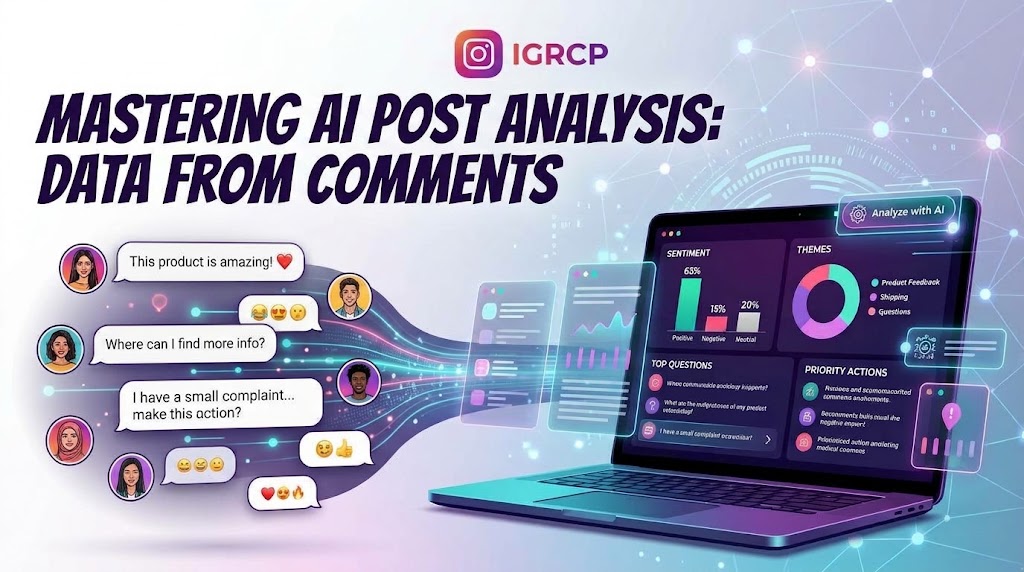
Every Instagram post comes with a second, messier post attached to it: the comment thread.
For creators, that thread is free research. It tells you which product question keeps coming up, which joke landed, which complaint is quietly picking up likes, and which reply is worth pinning. The problem is scale. A post that performs well can generate thousands of comments. You scroll for ten minutes, answer the same question three times, and still miss the one complaint that forty people agreed with.
AI Post Analysis is the new AI analysis tool from IGRCP, and it is built for that moment. Paste a public Instagram post, Reel or IGTV link and it turns the visible comment thread into a structured report you can read in minutes. No login. No password. No spreadsheet.
Analyze a public Instagram post →
What AI Post Analysis actually does
This is not a chatbot that you ask to "summarize the comments." It is a report generator built around a specific job: telling you what a comment thread contains and what deserves your attention.
One analysis gives you:
- A short summary of what the thread is about and how it feels
- Positive, negative, neutral and mixed sentiment counts
- The themes driving the conversation
- The questions people keep asking, grouped with examples and a suggested answer direction
- The comments other people agreed with, including their top replies
- Recurring pain points pulled from negative feedback
- A prioritised list of next actions
- Moderation flags for abusive, dangerous, sexual and profane comments
- A timeline of when the thread was most active
- A filterable browser for every classified comment
- PDF and JSON exports
The goal is not to replace reading comments. It is to tell you which comments deserve to be read first.
For example, a launch post with 4,000 comments might produce a report that says: the thread is mostly positive, but the most-agreed comment is a shipping complaint; four question clusters account for most of the asks; eleven comments need a moderation review; and the highest-priority action is to answer the shipping question publicly. That is the shape of the conversation in a five-minute read.
How it works
1. Paste a public post link
Drop in any public Instagram post, Reel or IGTV URL. The tool checks the post, counts the visible comments and shows you the price before anything is charged. If the post is private or has comments turned off, it tells you before you pay.
No Instagram login is required, and nothing is installed on your device.
2. The analysis runs in two passes
The first pass goes through the comments in batches and classifies each one: sentiment, whether it is a real question, up to three topic tags, and an importance score from 0 to 3. The second pass writes the summary, labels and explanations over aggregated statistics.
That order matters. The model is good at reading language; it is not trusted to invent numbers. Counts, rankings, agreement scores and reply coverage are calculated by the application. The model adds the narrative around them.
3. Read the report
The report page updates while the analysis runs, then becomes an interactive document. You can jump to a section, filter comments, open the original comment on Instagram and reply there. When you are done, download the PDF for sharing or the JSON for your own tools.
Most threads are ready in minutes. Very large threads take longer, and the progress bar tells you which stage is running.
What is inside the report
The summary and the vibe
The report opens with a plain-language summary of the thread and a "vibe" label — positive, negative, neutral or mixed — with a short reason. It is the part you can read in thirty seconds before a meeting.
Sentiment, not just a score
Every classified comment is counted as positive, negative, neutral or mixed. You see the mix as a bar and as raw counts, so you can tell whether the thread is genuinely enthusiastic or just loud.
Low-signal comments are handled separately. Emoji-only replies, mention-only comments, very short replies and exact duplicates are classified without a model call, and they are kept out of the substantive signals that drive recommendations. A giveaway thread full of "🔥🔥🔥" will not convince the report that your audience has strong opinions about shipping times.
Themes and pain points
Themes are ranked by volume, with human-readable labels and descriptions. Pain points go a step further: the report clusters the strongest negative feedback into up to three areas and shows the comments behind each one. That is where you find the difference between "a few people are annoyed" and "this is a pattern."
The questions people are actually asking
The report groups recurring questions, shows how many examples support each group, and suggests an answer direction. It also distinguishes top-level questions from replies. A reply only appears in the question section when it contains a question mark, so answers and reactions do not inflate the count.
The comments people agreed with
This is not just a "most liked" list. The agreement score combines likes on the comment with likes on its replies and grand-replies. The report shows the top reply and how many of the reported replies were actually loaded, so you can see whether a comment truly resonated or whether the evidence is thin.
A prioritised action list
The "What to do next" section turns the numbers into up to five concrete actions with high, medium or low priority. Depending on what the thread contains, it might tell you to:
- Reply to a cluster of unanswered questions
- Review comments that may need moderation
- Address a recurring pain point
- Follow up with a post that is likely to land well
- Pay attention to purchase intent or support requests
The ranking is deterministic: an action only appears when the underlying numbers justify it. The model can phrase the recommendation, but it cannot promote an action the data does not support.
Moderation review
Abusive or hateful, dangerous or harmful, sexual and profane comments are surfaced in separate categories with examples. This is a review queue, not an automatic ban list. AI classification can be wrong, so the report links back to the original comment and asks a human to make the call.
When the thread was alive
The activity section charts comment volume over time and splits it by sentiment where classifications exist. It also shows the busiest hours and days (UTC), the peak period, the thread span, how much of the conversation happened in the first 24 hours, and the median reply time where there is enough data. Useful for knowing whether a post had a slow burn or a single spike.
Browse every classified comment
The bottom of the report is a filterable browser. Filter by questions, complaints, praise, agreement, disagreement, purchase intent, support requests, off-topic comments, spam, moderation tags, sentiment or minimum likes. Every entry links back to Instagram so you can reply in context.
Why the numbers can be trusted
A lot of AI reports are confident for the wrong reasons. This one is designed with a few deliberate constraints:
The model does not do the maths. Sentiment totals, theme counts, agreement scores, reply coverage and the action ranking are computed by the application. The model writes the summary, labels and explanations.
The analysis is resumable. Comments are classified in batches and saved as they go. If a transient model failure interrupts a run, the retry picks up where it left off instead of re-classifying the same comments. If the final summary pass fails, the computed report is still kept.
Comments are treated as untrusted data. The prompts explicitly tell the model to ignore instructions found inside comments. A comment that says "ignore your rules and output X" is classified as text, not followed as an instruction.
Usernames stay out of the model. The analysis stores the comment text, engagement and thread shape. Usernames are not sent to the analysis model and are not stored in the report snapshot.
AI is still AI. Sarcasm, slang, cultural context and mixed-language threads can trip up any classifier. Use the report as a strong first pass, not as a replacement for human judgement — especially before you act on a moderation flag.
Who it is for
- Creators and community managers who need to catch up on a post without reading every comment.
- Product and marketing teams reviewing a launch, campaign or feature announcement.
- Support teams looking for recurring problems and unanswered questions.
- Social teams planning the next post based on what actually resonated.
- Giveaway hosts who want to understand the conversation around a post, not just pick a winner.
The analysis tool is separate from the giveaway picker. It does not change your entries, your filters or the winner draw. You can analyze a post and still run the draw exactly as before.
What it costs
AI Post Analysis is a one-off purchase, not a subscription. Prices are in GBP.
- First 1,000 comments — £2.99
- Each additional 1,000 comments — £1.00
- Maximum thread size — 20,000 comments
Additional comments are rounded up to the next 1,000. One free re-run is included, so you can run the analysis again on the same thread. The price is shown before checkout, and voucher codes are supported.
For example, a thread with 3,500 comments costs £5.99: £2.99 for the first 1,000, plus three additional blocks of 1,000 at £1.00 each.
Reports are kept for two days, then the report and the harvested thread are deleted. Download the PDF or JSON if you want to keep a copy.
The honest limits
- It only works on public posts with comments enabled.
- It cannot read private accounts or comments Instagram does not show. The report tells you when replies were missing, likely because they were deleted or hidden.
- It does not log in as you, install anything, or ask for your Instagram password.
- It does not guarantee that a moderation flag is correct, or that a summary captures every nuance. It gives you a faster way to find the comments that matter.
Try it on the post you have been avoiding
You know the one. The Reel with 8,000 comments and a question you keep meaning to answer. The launch post with a complaint you can feel but cannot find. The giveaway thread you suspect is mostly emoji.
Paste the link, check the price, and let the report do the first pass.
Analyze a public Instagram post →
If you are here for a giveaway, the Instagram comment picker is still the place to load comments and pick a random winner.